griasdi: encrypted voice and chat for your crew, now in open beta
AI use
With assistance
Model: Claude Opus 5.5
- Issued
- Extent
- 8 min read · 1566 words
- By
- Felix Itzenplitz
- Subject
- griasdi, rust, encryption, mls, noise-suppression, voice
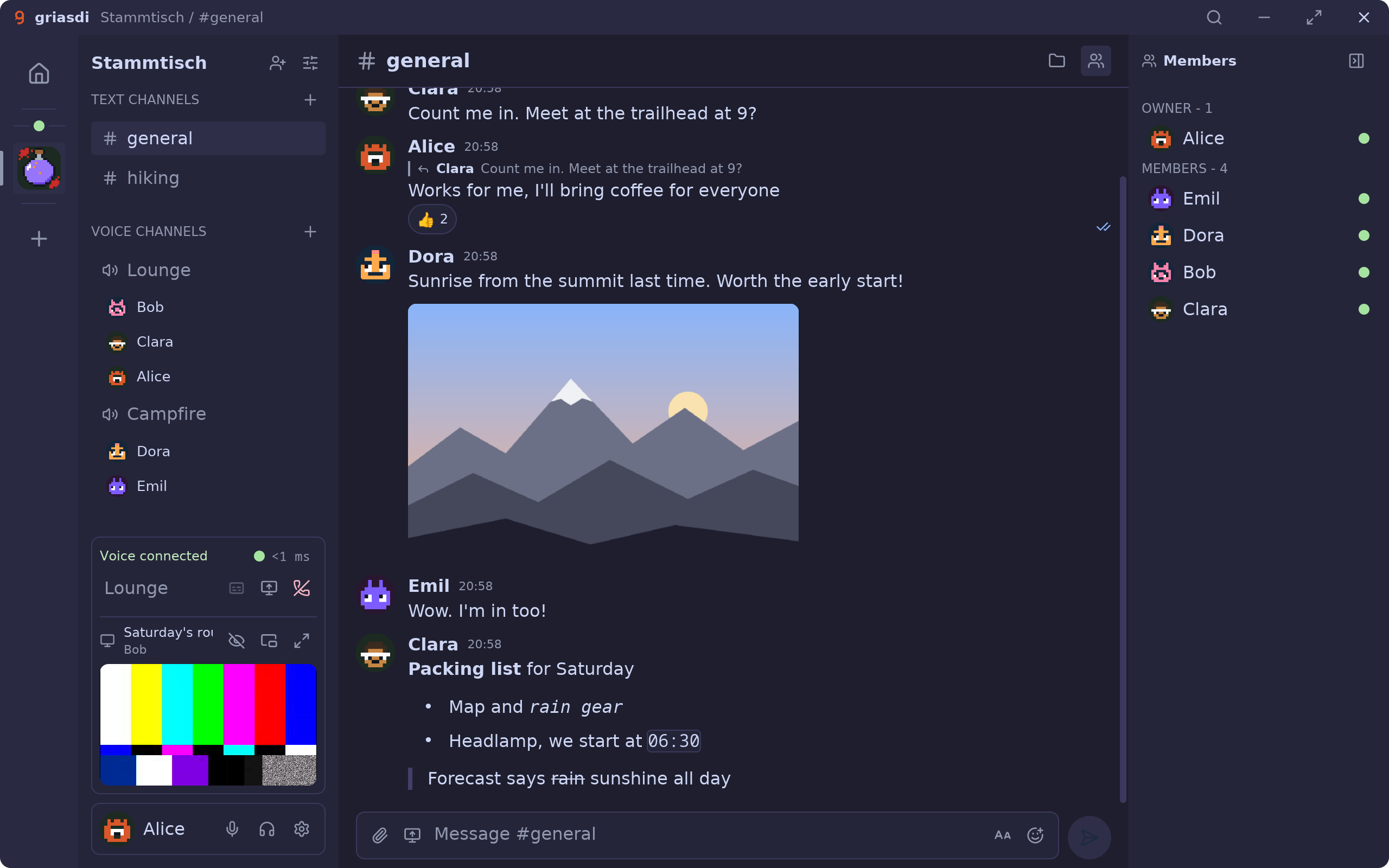
#general.Contents
Hannes Uebelacker and I have been building griasdi: voice and chat for a group of people who like to sit in a voice channel together for hours. It is a native desktop app for Linux, Windows and macOS on Apple Silicon, written in Rust with iced, and independent servers that store and forward nothing but ciphertext. The name is Bavarian for “hello, you”.
The beta is open. Install griasdi from griasdi.github.io (opens in a new window) , then open the invite to the griasdi Hub, our community for the beta:
Join the griasdi Hub (opens in a new window)
The two parts I’m proudest of are the ones you notice least while you use it. Your voice arrives without your keyboard, and the server in the middle can neither read nor hear any of it.
Voice without the noise
A voice channel is only as pleasant as its noisiest microphone. So in griasdi, the signal is cleaned up on the sender’s computer before it leaves. The voice engine runs at 48 kHz mono in 10 ms blocks, and every block takes the same path:
your computer    microphone → echo cancellation, gain → noise model
                 → speech detection → Opus → SFrame
server           forwards ciphertext
every listener   decrypt → jitter buffer per speaker → mix → speakers
Noise suppression is under Settings, Voice, with three levels:
| Setting | Model | Delay |
|---|---|---|
| Light (the default) | RNNoise | about 10 ms |
| Strong | DPDFNet-2 | about 50 ms |
| Maximum | DPDFNet-8 | about 50 ms |
Light is RNNoise. Every 10 ms it splits the spectrum into 22 bands and finds the pitch. Then a small recurrent network with about 87,000 weights sets a gain for each band. Strong and Maximum are DPDFNet from Ceva: the same network with two or eight DPRNN blocks per stack, working on the full 48 kHz signal. Together they cover everything from a quiet room to someone drilling next door.
All of it runs on your processor, in real time, on griasdi’s own inference engine, griasdi-infer. The engine is written in Rust and built for low latency and streaming:
- The CPU backend picks AVX2/FMA kernels at run time and falls back to portable Rust everywhere else.
- The GPU backend runs WGSL compute kernels on wgpu.
- The noise models run right on the audio thread. Once they are running, there is no thread pool and no heap allocation per operation.
- DPDFNet was ported by hand from its ONNX graph. It was checked against the ONNX runtime griasdi used before, to a maximum absolute error of 1e-4.
- The weights are compiled into the app, and their SHA-256 is checked at build time. Nothing is downloaded to clean up your voice, and nothing you say is sent anywhere to be analysed.
A model on your microphone that can’t keep up would be worse than none, so griasdi measures every one of them instead of hoping:
- Noise suppression gets 60 % of real time. If it needs more over a second of audio, griasdi switches to the standard suppression and tells you so.
- Every model has a Details view. Open it from the settings, or with “Show noise suppression details” from the command palette. For each of the last 60 seconds of audio it shows the median, the slowest 1 % and the share of real time.
The second model on your microphone decides when you’re talking at all. The default transmit mode is speech detection. A voice activity model opens the microphone when you speak, not when you type, chew or breathe heavily into a boss fight. It only opens after seven frames in a row that it is confident hold speech. The frames it held back while deciding are sent along, so your first syllable isn’t cut off. If you prefer, “Voice activation” goes by level, and push-to-talk is there too.
On the receiving side, every speaker gets their own jitter buffer, which adapts between 40 and 200 ms. Opus sends 20 ms frames with forward error correction, so a lost packet can often be rebuilt from the next one.
Encrypted on your device
griasdi has no accounts. You are an Ed25519 key pair on your device, not a username with a password reset. Each device has its own key, certified by your user key, and the user key can be protected with a passphrase. You can bring a second machine in from a terminal: griasdi link ssh desktop has your desktop sign the new device’s key, and your communities follow.
Text is encrypted with MLS (RFC 9420), using openmls and exactly one ciphersuite: MLS_128_DHKEMX25519_AES128GCM_SHA256_Ed25519. Every channel, every direct message, every call and the community itself is its own MLS group. For the server, MLS is only a delivery service: it holds the public group state and orders commits, and it has no secrets.
- A message is encrypted with XChaCha20-Poly1305 under the chat key of the current epoch. It is signed inside by the sending device and padded, so its length gives away less.
- An attachment gets a random key of its own, and that key travels only inside the MLS message.
- The names of communities, channels and roles are sealed too, each to a fixed 272 bytes.
- A new member or device gets the keys to read history from the other members, not from the server.
Voice and screen sharing use SFrame (RFC 9605) with AES-GCM-128. The keys come from MLS. In every epoch, griasdi exports a secret from the group and derives a key for each sender:
voice secret = MLS exporter("griasdi voice v1")        # once per epoch
sender key   = HKDF-SHA256(voice secret, "griasdi sframe v1" || leaf)
key id       = ((epoch & 0xFFFF) << 32) | leaf
Every epoch re-keys the media, and the previous keys retire after five seconds. Receivers drop replayed frames. The frame counter starts from the clock or a stored floor, whichever is later, so a rejoin can never reuse a nonce.
Underneath everything runs over QUIC, with weida (opens in a new window) , Hannes’s QUIC messaging framework. An invite link carries several things:
- the server’s address and its SHA-256 fingerprint, which the app pins;
- the hash of the community’s first log entry, so a server can’t hand you a different community log;
- the seed of an invite key, which never reaches the server.
On the web, the invite sits after the #, and browsers never send that part to any server. Changes to roles and channels are signed, and every member checks them.
What a server does see: which communities and channels a key belongs to, which device sent a message and when, how big messages and files are (padded), who is in a voice channel and who is muted (in memory only), and your IP address while you’re connected. The server software doesn’t store IP addresses. What it can’t see: messages, files, voice, screen shares, transcripts, and the names of communities, channels and roles.
The rest, briefly
- Screen sharing in AV1, with sound: a screen, a window, a capture card or a camera, into the call or into a channel.
- Files of any size. A file too big for the server goes from member to member in 1 MiB pieces, each one checked.
- Videos play right in the chat while they are still arriving. YouTube included.
- Live transcripts, if you opt in: your graphics card writes along, and the captions are posted encrypted to the channel. Call transcripts vanish when the call ends.
- Spoken cues that say who joined, by name, in ten voices. Opt in, runs locally.
- Ranked roles, private channels and owners.
Ctrl+Kopens the command palette, and everything else has a key too.- An MCP server for AI agents. It can list your conversations, read and send messages as you, and read the live transcript of your call. It listens on 127.0.0.1 only, refuses browsers, needs your token on every request, and is off until you turn it on.
- The app updates itself, and a restart keeps your place, your call and your screen share.
- Everyone without a picture gets a pixel face from gsichtl .
Not there yet
- Your own server. The server exists in the codebase but isn’t offered yet; it is coming soon. The beta runs on our Hub.
- Contact verification. There is no way yet to compare keys with someone. A plain, guided verification step is the first item on our list.
- Sender authenticity inside a call. SFrame keys protect voice and screens against the server and outsiders. But every member of a group can derive every sender’s key, so per-frame signatures are still to come.
- Signing. The Windows build isn’t code-signed yet: click “More info”, then “Run anyway”. The macOS build isn’t notarized yet: allow it under System Settings, Privacy & Security, “Open Anyway”.
Try it
griasdi is proprietary, so there is no repository to link this time. The website (opens in a new window) always has the newest build:
- Linux: an AppImage and a tarball, both for x86_64 and ARM64. Both update themselves.
- Windows: a setup that installs per user, with no administrator rights, or a zip.
- macOS: a
.dmgfor Apple Silicon, macOS 14 or newer.
Then open the invite to the griasdi Hub (opens in a new window) and click “Open in griasdi”. If griasdi isn’t installed yet, download it from that page; the link goes to your clipboard, and griasdi offers the invite the first time it starts.
Come say griasdi.